Using Send It Secure with Gmail
Send It Secure works with any email address — including Gmail. There isn't a direct Gmail integration, but the Send It Secure web portal works seamlessly right alongside Gmail in your browser. With a couple of browser bookmarks, you can compose and read secure messages without leaving your workflow.
Tip: Keep it one click away. Open the Send It Secure Compose page at https://app.protectedtrust.com/Compose and save it to your browser's Bookmarks bar — the strip of shortcuts just below the address bar — named "Compose Secure Message." Keeping it there means a new secure message is always a single click away, right next to Gmail. If you don't see the Bookmarks bar, show it with Ctrl+Shift+B (Cmd+Shift+B on Mac). Do the same with your Dashboard for quick access to sent messages and delivery logs.
Send a secure message alongside Gmail
- Click your Compose Secure Message bookmark on the Bookmarks bar (or go to app.protectedtrust.com/Compose). The Send It Secure compose window opens next to Gmail.
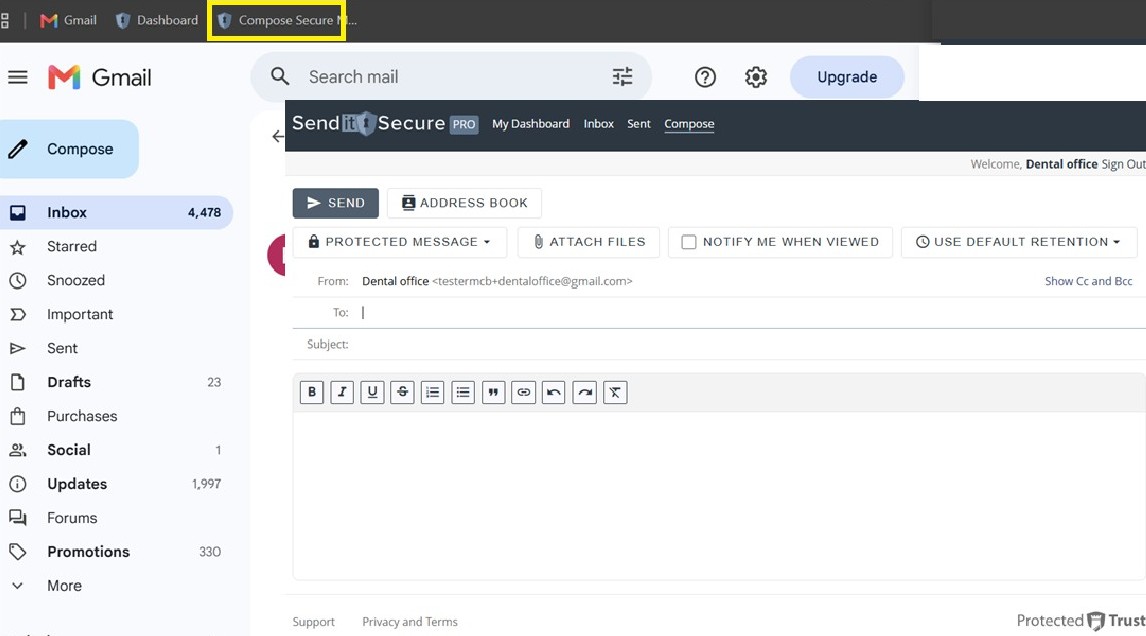
- Enter the recipient in the To field and add a Subject. Your existing email address is used as the sender.
- Write your message, and choose any options you need — Protected Message, Attach Files, Notify Me When Viewed, and message retention.
- Click SEND. Your recipient receives a secure notification by email.
Read a secure message in Gmail
- When someone sends you a secure message, a notification email arrives in your Gmail inbox from Send It Secure.
- Click the View Message button in the notification. The secure message opens in a new browser tab, so you can read it side by side with Gmail.
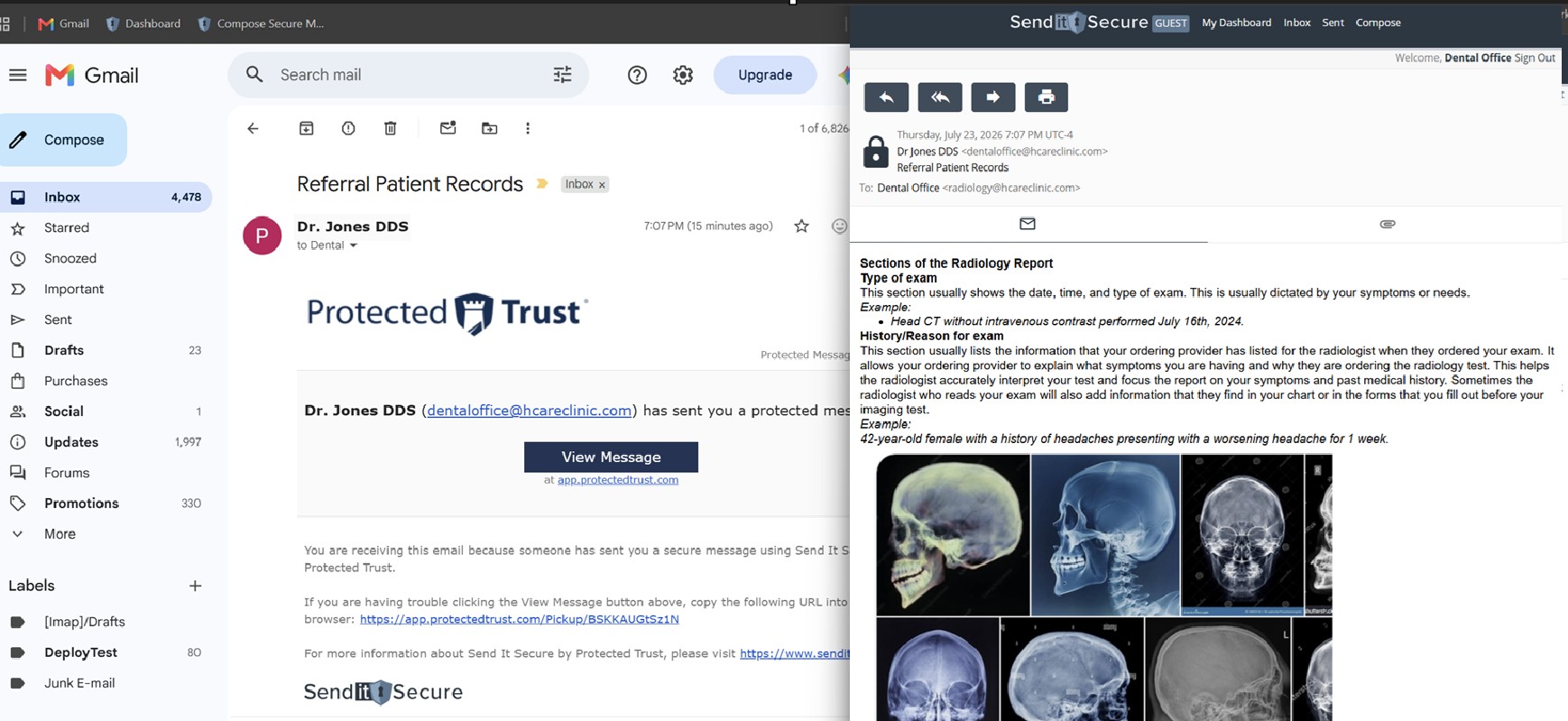
- If prompted, verify your identity to open the message. See How do I open a secure message? for the verification options.
Stay in control — even after you hit send. Sent a message to the wrong person? With Send It Secure you can revoke access at any time, even after it's been opened, for one recipient or everyone at once — and you keep your full proof-of-delivery record. Learn about revoking a message.
Proof of delivery and compliance
Even without a direct Gmail integration, you never lose visibility into your messages. Every secure message you send is tracked in your Send It Secure Dashboard, where a real-time Proof of Delivery Log shows exactly who opened each message and when — giving you a complete compliance audit trail, right alongside Gmail.
For more on using your own address, see Can I use my existing email address with Send It Secure?
Not using Send It Secure yet? Keep your Gmail address and add powerful, compliant encryption on top — no new inbox, no migration. Start today and send your first secure message in minutes.
Get started for free