Update Subscription
You can change your Send It Secure plan — upgrade, downgrade, or switch plans — from the Subscription page in your Dashboard.
Whether your needs have grown or changed, you can switch to the plan that fits your organization in just a few clicks.
Steps to update your subscription
You must be an administrator to update your organization's subscription.
- Open a web browser
- Navigate to https://app.protectedtrust.com/dashboard and sign in
- On the Dashboard, select Subscription
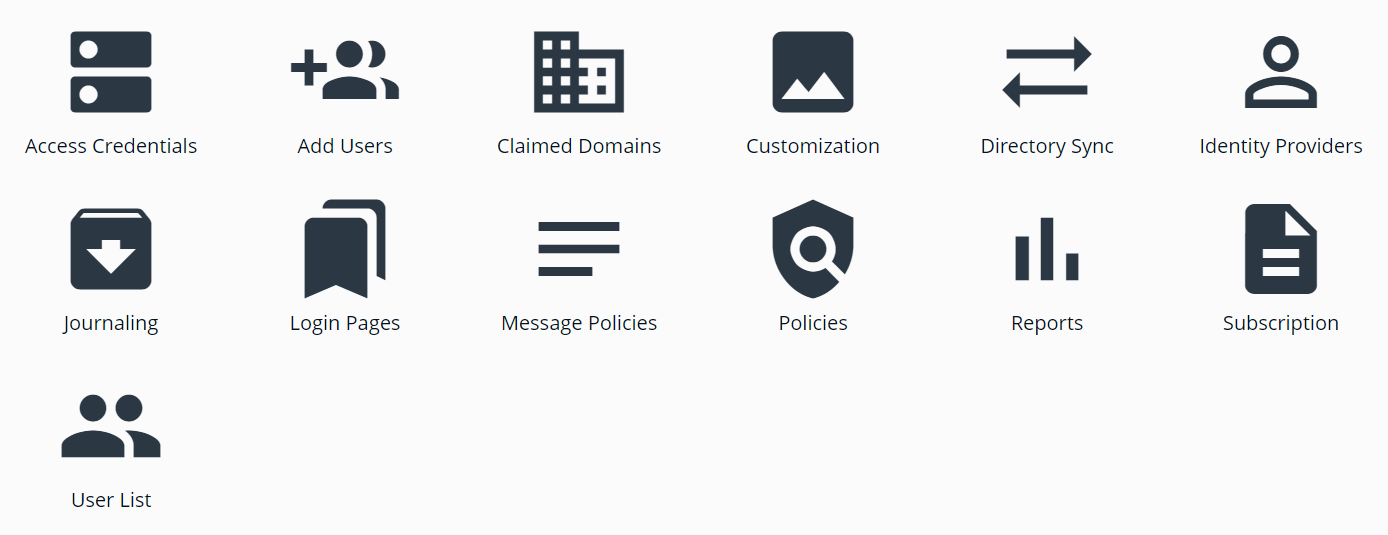
- On the Subscription page, review your Subscription Summary
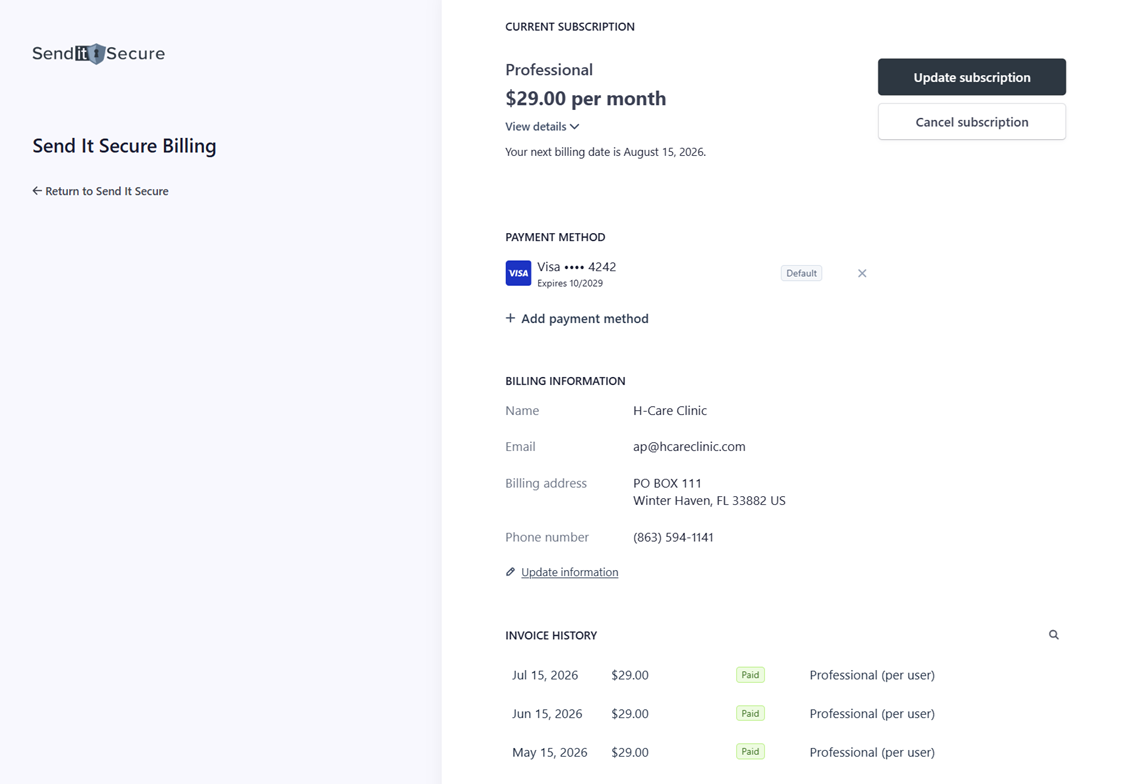
- Click Update Plan and choose the plan that fits your organization
Your plan determines which features are enabled for your organization. Upgrading unlocks additional features, and switching to a smaller plan may remove access to some. See our plans and features to compare what's included.
What happens after you update
Your selected plan takes effect and your billing is adjusted to reflect the change. Your subscription is updated immediately, applying the features included in your new plan. You can update your plan again at any time from the Subscription page.
If you have any questions or need assistance, please contact us at billing@senditsecure.com.