Update Payment Method
You can add a new payment method or remove an old one from the Subscription page in your Dashboard.
Steps to update your payment method
You must be an administrator to manage your organization's payment methods.
- Open a web browser
- Navigate to https://app.protectedtrust.com/dashboard and sign in
- On the Dashboard, select Subscription
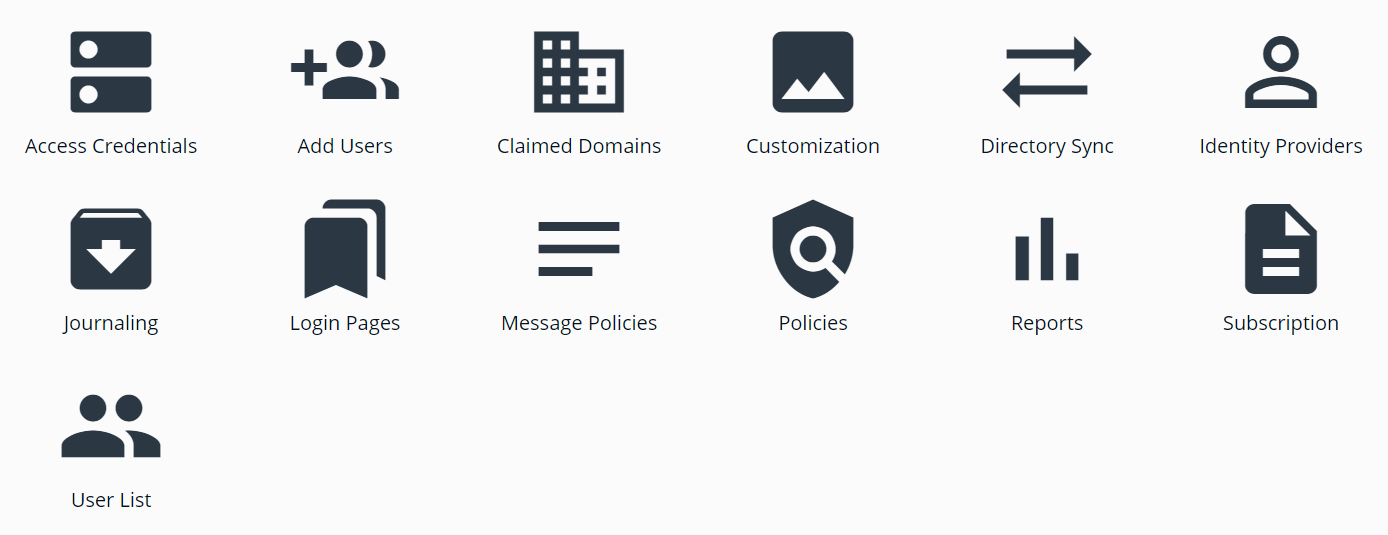
- On the Subscription page, find your Payment Methods
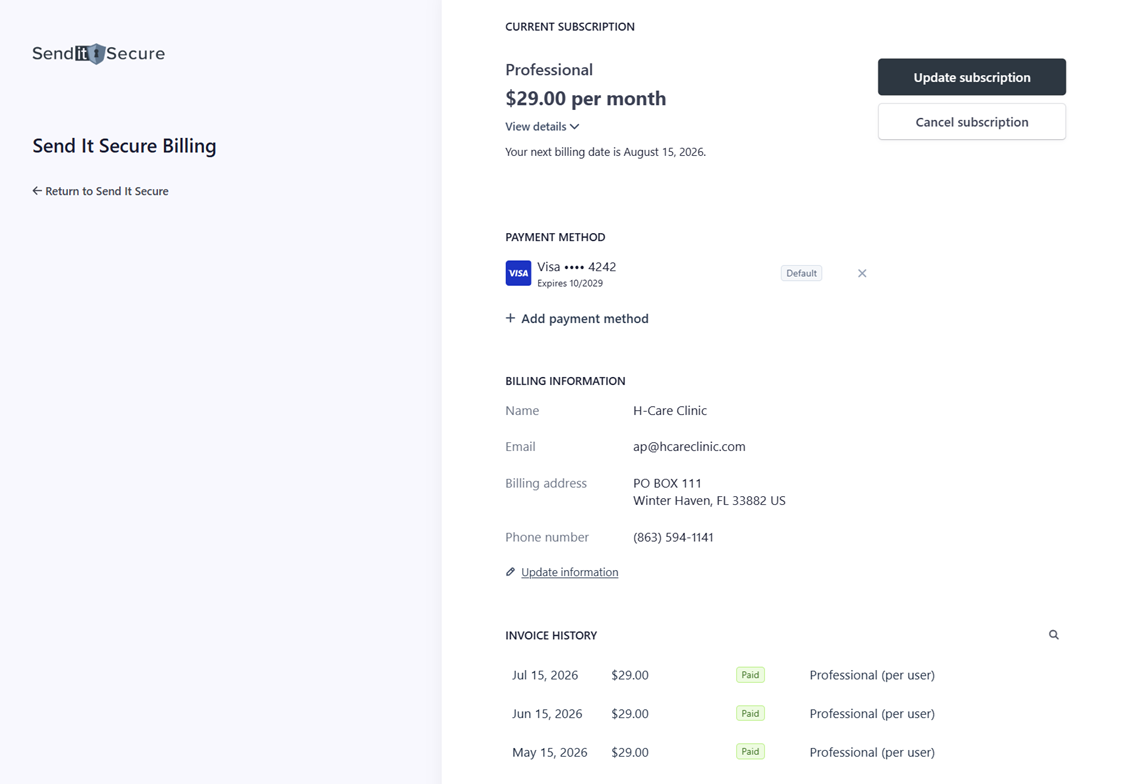
Add or remove a payment method
- Add Payment Method — add a new card or payment method (+).
- Delete a payment method — remove an old payment method (X).
If you have any questions or need assistance, please contact us at billing@senditsecure.com.